




This is not medical advice. General information about calorie tracking apps, not a treatment plan. If you are under 18, pregnant or breastfeeding, have ever had an eating disorder or a difficult relationship with food, or are managing a medical condition, talk to a doctor or a registered dietitian before you start counting calories. The full list is here.
Switch to MyPlate if you log most meals by photo or a sentence, and you spend too long correcting what Lifesum's AI logged. MyPlate lists the guesses behind each scan and lets you swap the wrong one.
Stay with Lifesum if you want a free food database and barcode scanner, a watch app, or your log kept in an account, or if you would rather not use AI at all. MyPlate has none of those, and it has no way to log without the AI.
Download MyPlate on the App Store → · Get it on Google Play →
Why people leave Lifesum
On 23 November 2026 I pulled the 300 most recent United States App Store reviews of Lifesum, written between 5 February and 21 November 2026. Of those, 175 were at two stars or fewer.1 A script sorted them by keyword, so read the counts below as rough groupings. The reviews themselves are the evidence.
Two complaints are about the same size. 64 of the 175 mention the price, the trial or the subscription. Lifesum is free to download with limited features, and its Premium plans are listed on the App Store at $21.99 to $119.99.2 I am not building this page on that complaint, because MyPlate is a subscription app too, with its plans shown in the app before you buy.3 If the price is why you are leaving, switching to MyPlate will not fix it.
The other is the AI: 65 of the 175 mention it.1 Lifesum's listing now leads with AI logging, by photo, voice or text,2 and its help centre describes AI Tracking as a Premium feature.4 Those 65 reviews are not one complaint. A keyword pass puts about two dozen of them in a group that objects to AI being in the app at all, often long-time users who preferred searching the database. MyPlate is the wrong answer for that group, and I say why below.
This page is for a smaller group. By my own reading, eleven of the reviews describe the estimate coming back wrong and then the correction being slow, hard to find or, as they saw it, impossible. "And when the AI is wrong, it's impossible to correct it." Another: "It takes twice as long to fix the mistakes from AI."1
Lifesum's own help centre says otherwise. Its guide to AI Tracking, updated in September 2026, says that "every entry stays fully editable", and tells you to open an entry and check the food, portion and preparation method the AI identified.5 I believe both. Correcting an entry in Lifesum is possible, and some of its paying users still found it hard enough to leave over. Being able to edit an estimate is not the same as being shown which part of it to edit, and that difference is the reason this page exists.
One more group is worth naming. Six of the 175 describe being signed out of their account over and over, five of them within four days in April,1 which reads like one bad release more than a standing problem. Lifesum uses an account with an email and password.6 MyPlate has no account, so there is nothing to be signed out of. That trade has a cost, which is in the table.
Lifesum vs MyPlate, side by side
Everything in this table comes from each app's App Store listing, Google Play listing or help pages, checked on 23 November 2026. Prices are United States prices. Features change, so check both listings before you decide.
| Lifesum | MyPlate | |
|---|---|---|
| How you log a meal | Photo, voice, text, barcode, a database search, or calories and macros typed in24 | Photo, gallery image, or a description typed or spoken3 |
| AI logging | A Premium feature; can be switched off4 | The only way to log |
| What the AI says it assumed | Its help centre tells you to open the entry and check the food, portion and preparation it identified5 | Lists each guess under "What I went with", with how sure it is and a likely calorie range3 |
| Correcting an AI entry | Describe the change in the chat, or change the quantity or servings47 | Tap a guess and pick an alternative, or edit any ingredient by hand3 |
| Food database | Yes, from six sources including USDA and foods created by users8 | None |
| Barcode scanner | Yes, including on the free version9 | No |
| Account | Yes, with your data on Lifesum's servers610 | None. No email, no password3 |
| Past log in the app | The last 30 days; a full copy can be downloaded10 | Everything since you installed it, on that phone only |
| Price | Free with limited features; Premium listed from $21.99 to $119.992 | Free download; subscription plans and prices shown in the app3 |
| Platforms | iPhone, iPad, Apple Watch, Apple Vision, Android, Wear OS211 | iPhone, iPad, Android312 |
| Apple Health, Health Connect | Yes211 | No |
| Ratings | 4.6 from 151,122 App Store ratings2 | 4.1 from 20 App Store ratings3 |
The ratings row is there on purpose. Lifesum has been rated by more than 150,000 people on the App Store and has about 380,000 reviews on Google Play.11 MyPlate has been rated by twenty, and an average from twenty people tells you very little. If you are choosing among more than two apps, I compared eight kcal tracker apps on price, free tier and where their numbers come from.
The "past log" row surprised me, so here is the exact source. Lifesum's help page on what happens when Premium runs out says no data is lost, because it is all stored on its servers, and then adds that you "will only have access to the last 30 days of tracked data in the app", whether or not you are on Premium. It points you to a download page for a full copy.10 MyPlate keeps the whole log, but only on the one phone, which cuts the other way.
What logging a meal looks like in each
In Lifesum, with AI Tracking on, the plus button opens a chat. You type the meal, speak it, or tap the camera for a photo or a barcode. To change a meal later, you open it from the diary and tap "Add more food", which reopens the chat, where you write the change in plain words, like "replace rice with quinoa".4 You can also open a single item and change its quantity or servings.7
Lifesum's guide to getting better AI results is good advice, and I would give most of it myself. Shoot layered food at a 45-degree angle, keep the plate's edges in the frame, put a fork in the shot for scale. It also names the problem plainly: "Grilled and fried chicken breast are not nutritionally the same, even though they look similar in a photo."5 When a number looks off, it tells you to open the entry and check what the AI identified.
MyPlate starts the same way: a photo, a gallery image or a sentence. The difference is what comes back. Each ingredient is listed on its own line with its own calories and macros. The App Store listing's example is a steak dinner: "Sirloin steak, 249. Brussels sprouts, 65. Olive oil, 44."3 Under the totals the scan says how sure it is ("Clear estimate", "Good estimate" or "Rough estimate") with a likely calorie range.
Under that is a row headed "What I went with". Each item there is one assumption: what a food is, how much of it there was, how it was cooked, and what the camera could not see. Every ingredient carries a marker, "Best guess", "Added, often hidden" or "Confirmed". The olive oil in that steak dinner is the kind of line marked "Added, often hidden", because no photo shows how much went in the pan.
Take Lifesum's own example. If MyPlate went with fried chicken and it was grilled, you do not have to notice that yourself or describe the fix. Fried is on the screen as a guess. Tap it, and the alternatives appear with the calorie change for each shown before you pick. Choose grilled and the dish updates; Undo puts it back.3 A rough scan also asks you one quick question. Anything not covered by a guess you can edit by hand, down to the weight and macros of a single ingredient.
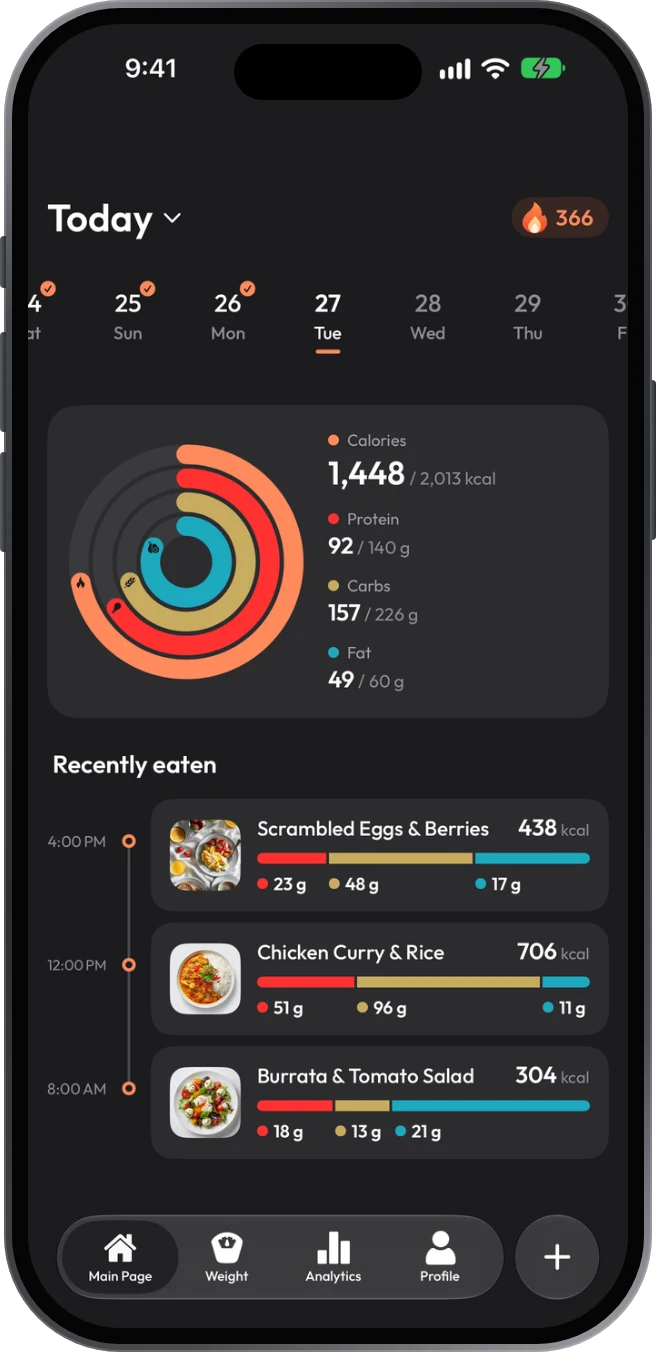
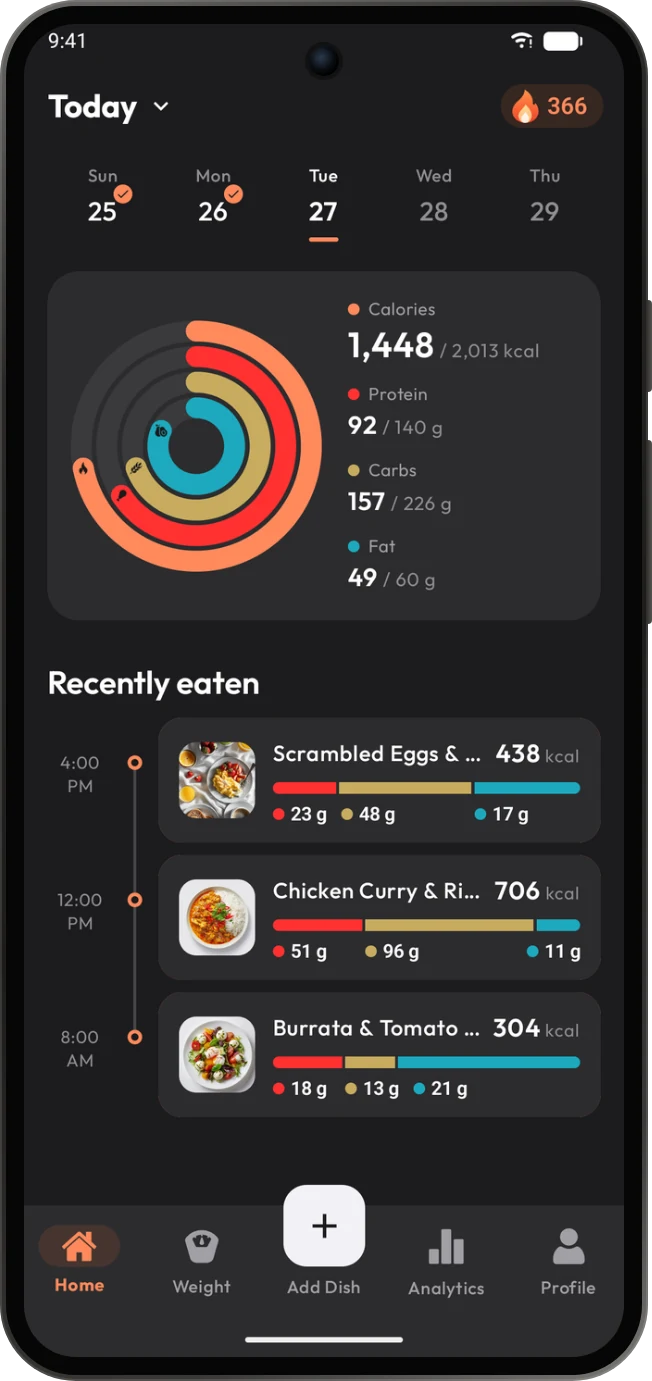
None of that makes a photo a measurement. A guess you never look at stays wrong, and no photo can weigh your portion. I wrote up how far off photo and database tracking both run, and every method misses. If you are coming from another AI photo app rather than Lifesum, the Cal AI alternative page makes the same comparison for that app. What the guesses change is narrower. When a number looks wrong, the likely cause is usually already on the screen with its calorie cost next to it, and fixing it takes a tap.
Where Lifesum is still the better app
Any one of these is a good reason to stay.
You can log without AI, and without paying. Lifesum's help centre lists the food database search and the barcode scanner under its Traditional Tracking, which it says is available to all users.9 If you scan packets or weigh your food and look it up, that is more precise than any photo estimate, and MyPlate has neither feature. If what you want is the old Lifesum back, its help centre shows how to switch AI Tracking off: Diary, then Customise Diary, then turn off "Track with AI".4 MyPlate has no mode like that.
Your log lives in an account. Lifesum keeps your data on its servers,10 so a new phone does not mean a new start. MyPlate keeps everything on the device. Deleting the app deletes the log for good, and there is no way to move it to another phone or between iPhone and Android.3
It does far more than log food. Lifesum's listing includes meal plans with grocery lists, a recipe library, water tracking, body measurements, Apple Health sync and an Apple Watch app,2 and on Android a Wear OS app and Health Connect.11 MyPlate logs meals and weight, and that is close to all.
It says it learns from you. Lifesum's guide says manual corrections "refine future recognition for recurring meals".5 MyPlate's server keeps nothing between scans, so a guess you fix today is not remembered tomorrow.
Who should switch to this Lifesum alternative
One reader, as narrowly as I can put it. You pay for Lifesum Premium, or did, and you like logging by photo or by a sentence, mostly home cooking and restaurant plates rather than packets. You are fine paying for a calorie counter app. What wears you down is the moment after the estimate: a number that looks wrong, and then working out what the AI misread and writing the fix back into the chat.
For that reader, MyPlate puts the assumptions on the screen before you go looking. The portion, the cooking method and the oil are listed as guesses, with the calorie cost of each alternative shown, so fixing one is a tap. As a macro tracking app it is narrow, and I would only claim it is the better choice in this one situation.
If that is not you, stay. That goes double if you scan barcodes, want your history on your next phone, or would like the AI out of your food log altogether.
Common questions
What is the best Lifesum alternative?
It depends on why you are leaving. If you like AI logging but spend too long correcting it, MyPlate lists what each scan assumed and lets you swap any guess, with the calorie change shown first. If you want a database, barcodes or no AI at all, an AI-only app like MyPlate is a step backwards.
Is Lifesum a good app to track macros?
For many people, yes. It tracks calories, protein, carbs and fat, with a food database and a barcode scanner,29 and its help centre lists custom calorie and macro goals as Premium features.13 The recurring complaint in its recent low reviews is the AI: 65 of 175 reviews at two stars or fewer, from the 300 most recent on the US App Store, mention it.1
Can you turn off the AI in Lifesum?
Yes. Lifesum's help centre says to scroll to the bottom of the Diary, tap Customise Diary and turn off "Track with AI", which brings back the classic food search.4 If that is what you want, stay with Lifesum. MyPlate has no way to log without the AI.
Does MyPlate need an account?
No. There is no email, no password and no login, and your log stays on your phone.3 The trade is that deleting MyPlate deletes your log, and you cannot move it to a new phone. Lifesum uses an account and keeps your data on its servers.10
Is MyPlate the most accurate calorie tracker?
Nobody has shown that, and I will not claim it. MyPlate's estimate comes from an AI model reading a photo or a description, and it can be wrong. What it adds is that it shows what the estimate assumed, how sure it is and the likely calorie range, so you can correct the part that is wrong. For how far off every kind of tracker runs, see how accurate calorie tracking apps are.
The bottom line
Lifesum's unhappy reviewers this year split three ways. Some object to the price, and MyPlate cannot help them. Some want the AI gone, and MyPlate is all AI. The ones this page is for like the AI and are tired of fixing it, and MyPlate's answer for them is to show its work: each guess, and what changing it would do to the total.
Everything else is a trade to make knowingly. MyPlate has no database, no barcode scanner, no account, no watch app and no health integrations, and its log lives on one phone.3 As a food tracker app, its one real difference is that you can check its estimate line by line.
Whichever app you use for calorie tracking, the target matters more than the tracker. MyPlate never shows a daily target below 1,200 calories for women or 1,500 for men, the top of the low-calorie ranges in the NIH clinical guidelines on obesity.14 And if checking every guess starts to feel like a test you keep failing, that is a reason to step back from tracking and talk to someone, not to look for a stricter app.
Sources
Every figure above traces to one of these. If you find a number that doesn't match the source it claims, tell me and I'll correct it.
- Apple. (2026). Lifesum: AI Calorie Counter, Ratings and Reviews. App Store, United States storefront. Sample of the 300 most recent reviews, written 5 February to 21 November 2026, of which 175 were rated two stars or fewer. Retrieved 23 November 2026. Read the reviews →
- Apple. (2026). Lifesum: AI Calorie Counter, App Store listing (version 24.1.3; 4.6 from 151,122 ratings; iPhone, iPad, Apple Watch and Apple Vision; "free to download and use with limited features"; in-app purchases $21.99 to $119.99). Retrieved 23 November 2026. View the listing →
- Apple. (2026). MyPlate: AI Calorie Counter, App Store listing (version 4.0.2; 4.1 from 20 ratings). Retrieved 23 November 2026. View the listing →
- Lifesum. (2026). AI Tracking - How does it work? Lifesum Helpdesk. Retrieved 23 November 2026. Read the article →
- Lifesum. (2026). How to optimize AI Tracking. Lifesum Helpdesk (updated 23 September 2026). Retrieved 23 November 2026. Read the article →
- Lifesum. (2026). Account & App Settings. Lifesum Helpdesk. Retrieved 23 November 2026. Read the articles →
- Lifesum. (2026). Edit or Remove Items from your Diary. Lifesum Helpdesk (updated 29 September 2026). Retrieved 23 November 2026. Read the article →
- Lifesum. (2026). Lifesum's Food Database. Lifesum Helpdesk. Retrieved 23 November 2026. Read the article →
- Lifesum. (2026). What is the difference between AI Tracking and the Traditional Tracking? Lifesum Helpdesk (updated 7 September 2026). Retrieved 23 November 2026. Read the article →
- Lifesum. (2026). Do I lose my tracked data and the recipes saved as soon as my Premium subscription is running out? Lifesum Helpdesk (updated 16 November 2026). Retrieved 23 November 2026. Read the article →
- Google. (2026). Lifesum: AI Calorie Tracker, Google Play listing (4.4 from about 380,000 reviews; Wear OS app; Health Connect). Retrieved 23 November 2026. See the listing →
- Google. (2026). MyPlate: AI Calorie Counter, Google Play listing. Retrieved 23 November 2026. See the listing →
- Lifesum. (2026). What do I get when I buy Premium? Lifesum Helpdesk (updated 28 May 2026). Retrieved 23 November 2026. Read the article →
- National Heart, Lung, and Blood Institute, NIH (1998). Clinical Guidelines on the Identification, Evaluation, and Treatment of Overweight and Obesity in Adults. NIH Publication 98-4083. Read the guidelines →
The formulas and limits behind MyPlate's own numbers, with their citations, are on the health sources page.